Overview & Pedagogical Objective
While curated Studio dialogues teach structured phonological rules and baseline prosody, authentic spoken English lives in the wild: tech keynotes, conference presentations, podcasts, and interviews. Real speakers do not pause on demand—they speak with variable tempo, subtle vowel reductions, natural glottal stops, and rapid thought-group transitions.
The YouTube Cadence Workstation bridges this gap. It transforms any authentic YouTube video into a high-precision deliberate practice instrument, powered by 60fps requestAnimationFrame Cadence Tracking, client-assisted caption ingestion, and an audio-focused zero-scroll interface.
flowchart LR
  subgraph Discovery ["1. Discovery Stage"]
    D1["Browse Speeches / Paste YouTube URL"]
  end

  subgraph Workstation ["2. Two-State Shell Morph"]
    W1["Active Video Mount\n(#player-shell isolated)"]
  end

  subgraph Rehearsal ["3. Tri-Modal Cadence Shadowing"]
    M1["Continuous Mode\n(Global Flow)"] --> M2["Loop Mode\n(Targeted Replay)"]
    M2 --> M3["Echoic Mode\n(Silent Turn-Taking)"]
  end

  subgraph Vocabulary ["4. Active Recall"]
    V1["1-Click Word Lookup\n& 5-Box Leitner Drawer"]
  end

  Discovery --> Workstation
  Workstation --> Rehearsal
  Rehearsal --> Vocabulary
The Two-State Shell Morph
To eliminate visual distraction and cognitive fatigue, the Cadence Workstation operates on a Two-State Shell Morph architecture:
- Discovery Landing State (
/cadence):- The top
GlobalAppShellnavigation bar remains fully accessible. - Learners can browse curated speeches by CEFR level, view recent practice sessions, install the 1-Click Bookmarklet, or input any YouTube video link.
- The top
- Active Workstation State (
#player-shell):- Once a video is loaded (e.g.
/cadence?v=...), the workstation enters Full-Screen Isolation Mode (body.player-view). - The global site navigation is hidden (
display: none !important), freeing 100% of the viewport for video playback, script stream, and transport controls. - Learners can exit back to the discovery stage at any time by pressing ← Change Video in the top Studio Bar.
- Once a video is loaded (e.g.
Deliberate Shadowing Protocol (5-Step Best Practice)
Follow this deliberate 5-step rehearsal cycle for any authentic speech segment:
Orientation Pass & Two-State Shell Morph
Listen to the overarching melody, sentence boundaries, and natural breathing pauses. Do not vocalize yet — build a clean acoustic blueprint in your working memory.
Navigate to /cadence?v=UF8uR6Z6KLc or select a curated speech. The workstation morphs into full-screen isolation with the Continuous mode active. Press Space to play.
The workstation mounts the video and aligns the WebVTT transcript timeline. In Continuous Mode, the player tracks speech flow across dialogue boundaries with zero pitch distortion.
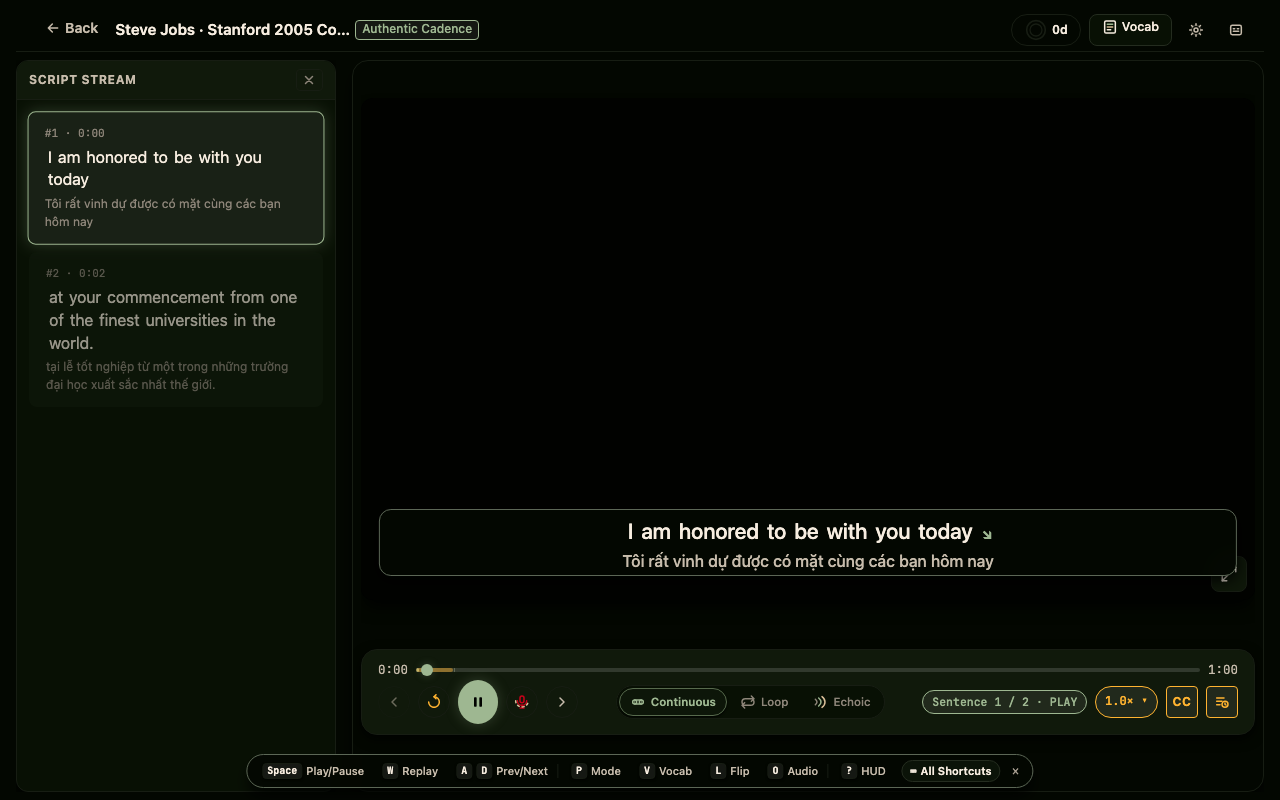
Observe how native speakers decelerate slightly at major thought group boundaries. Note the primary stressed syllables in the synchronized subtitle stream.
Trying to shadow aloud on the very first pass. Jumping into speech production before internalizing the rhythm leads to lagging and garbled syllables.
Audio-Only Focus & Auditory Working Memory
Closing the visual channel forces your auditory cortex to process phonological details: flap-t reductions, glottal stops, and vowel elisions that reading masks.
Press 'O' (or Shift+V) to collapse the video canvas. The workstation elevates the pulsing Cadence Hero Stage for 100% auditory memory engagement.
The Cadence Hero Stage focuses 100% of the viewport on acoustic perception, displaying synchronized word highlighting and pitch contour arrows.
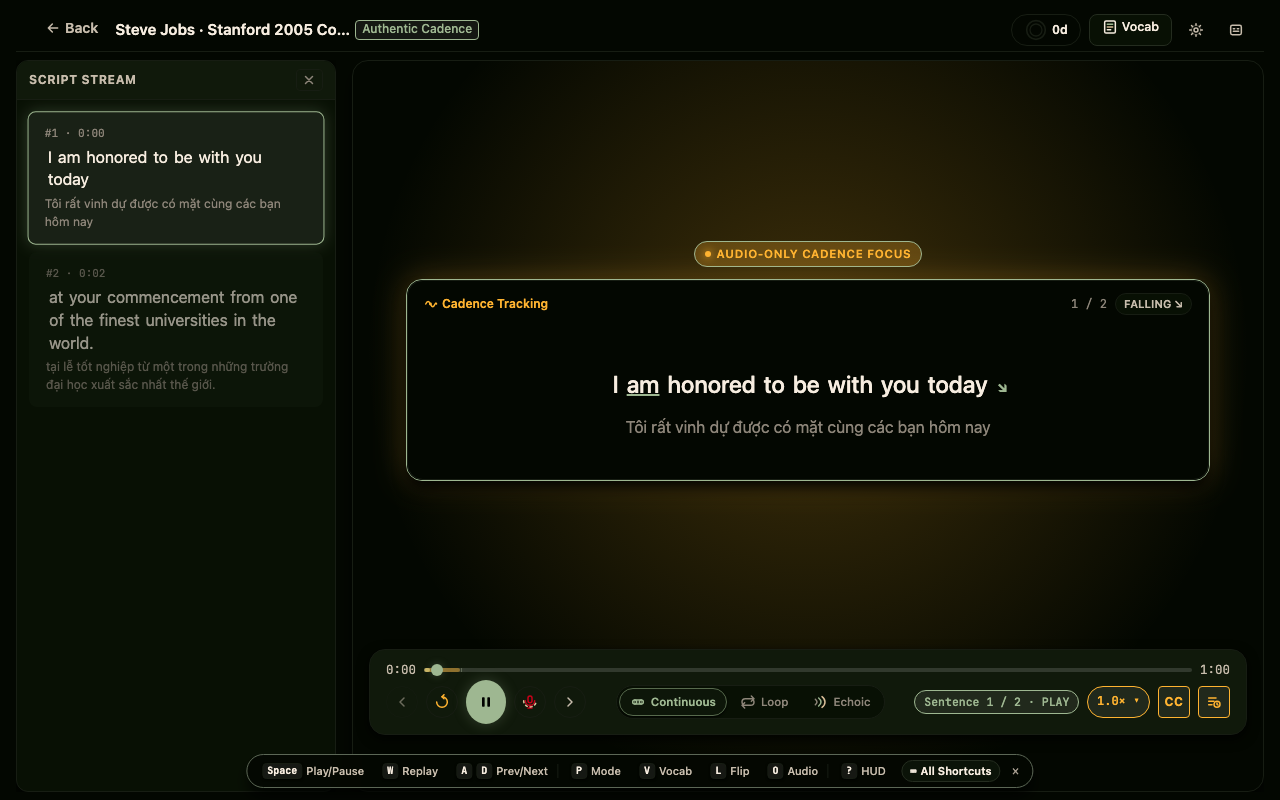
Closing your eyes during audio-only playback increases auditory discrimination sensitivity by over 30%, making subtle syllable stresses immediately obvious.
Relying on mouth movements on screen as a crutch. Authentic speech in audio calls or podcasts has no visual cues — train your ears directly.
Surgical Sentence Looping: Motor Rehearsal & Padding
Isolate a challenging sentence and listen to the linking boundaries. Notice how consonant sounds connect smoothly into initial vowels across word boundaries.
Press 'P' to cycle into Loop Mode (or click the Loop tab). The active sentence repeats continuously with +150ms lead-out and -50ms lead-in acoustic padding.
Loop mode automatically enforces acoustic padding around cue boundaries, guaranteeing that natural breath intakes and ending consonant decays are never abruptly clipped.
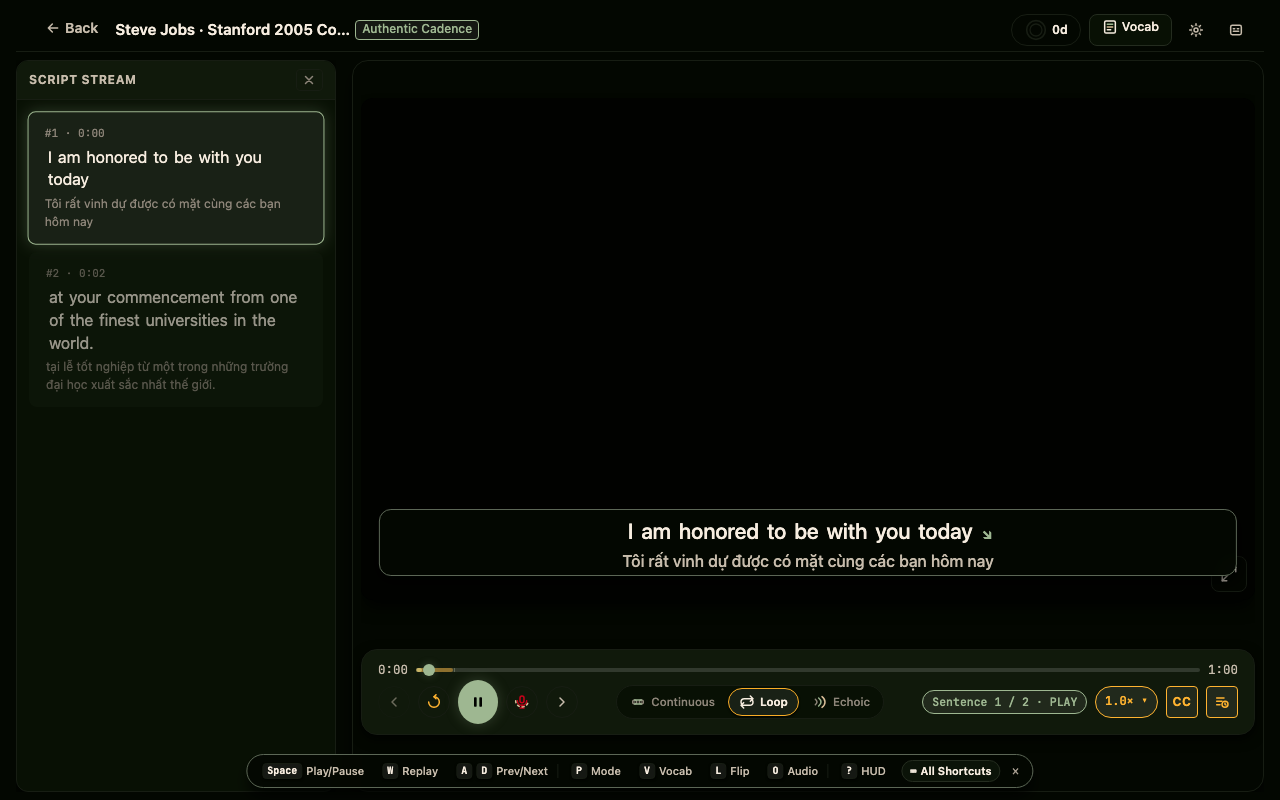
If the speech tempo feels overwhelming, press '[' to slow playback down to 0.9× or 0.75× with complete pitch invariance.
Looping entire paragraphs at once. Keep your loop targeted to 1 or 2 sentences max (3–6 seconds) to prevent cognitive overload.
Echoic Rehearsal & Silent Turn-Taking Chronometer
Hear the native model cue, hold the echoic trace in short-term memory, and immediately replicate the rhythm, speed, and pitch melody during the pause.
Press 'P' to switch to Echoic Mode. The player plays the cue once, pauses with a silent visual countdown chronometer for your turn, and automatically advances.
The Silent Chronometer dynamically budgets your response window (duration × 1.6 + 1.2s), giving you optimal breathing and mimicry time before auto-advancing.
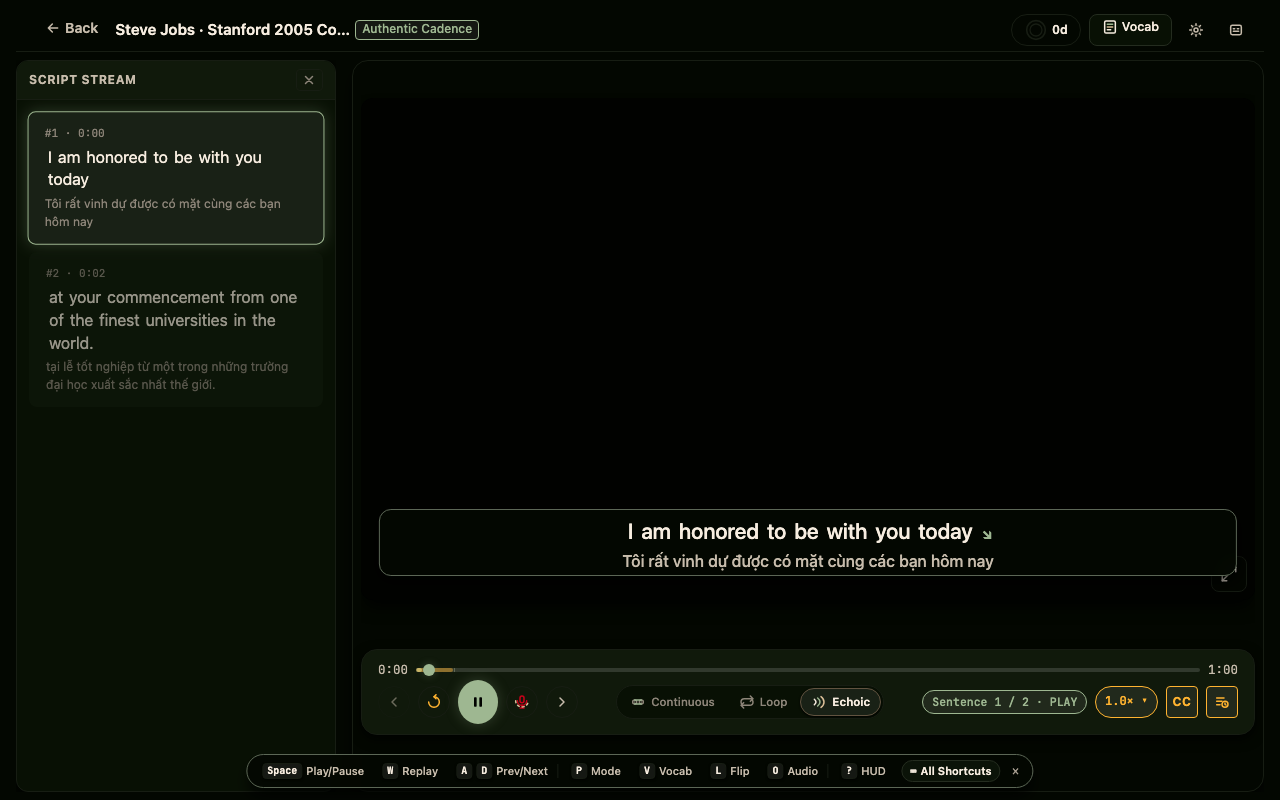
Vocalize at full conversational volume. Whispering or subvocalizing bypasses the motor feedback loop needed to build articulatory muscle memory.
Speaking while the native audio is still playing. Echoic mode is designed for turn-taking: full absorption first, full execution second.
Spaced Vocabulary Consolidation & Leitner Drawer
Connect authentic phonological pronunciation with lexical meaning. Review how words sound in context versus isolated dictionary entries.
Press 'V' to slide out the 5-Box Leitner spaced-repetition drawer. Click any word in the transcript to inspect definitions and review due cues.
The 5-Box Leitner Drawer integrates directly with the workstation’s spaced repetition engine, ensuring that unfamiliar words encountered in speeches enter your scheduled practice queues.
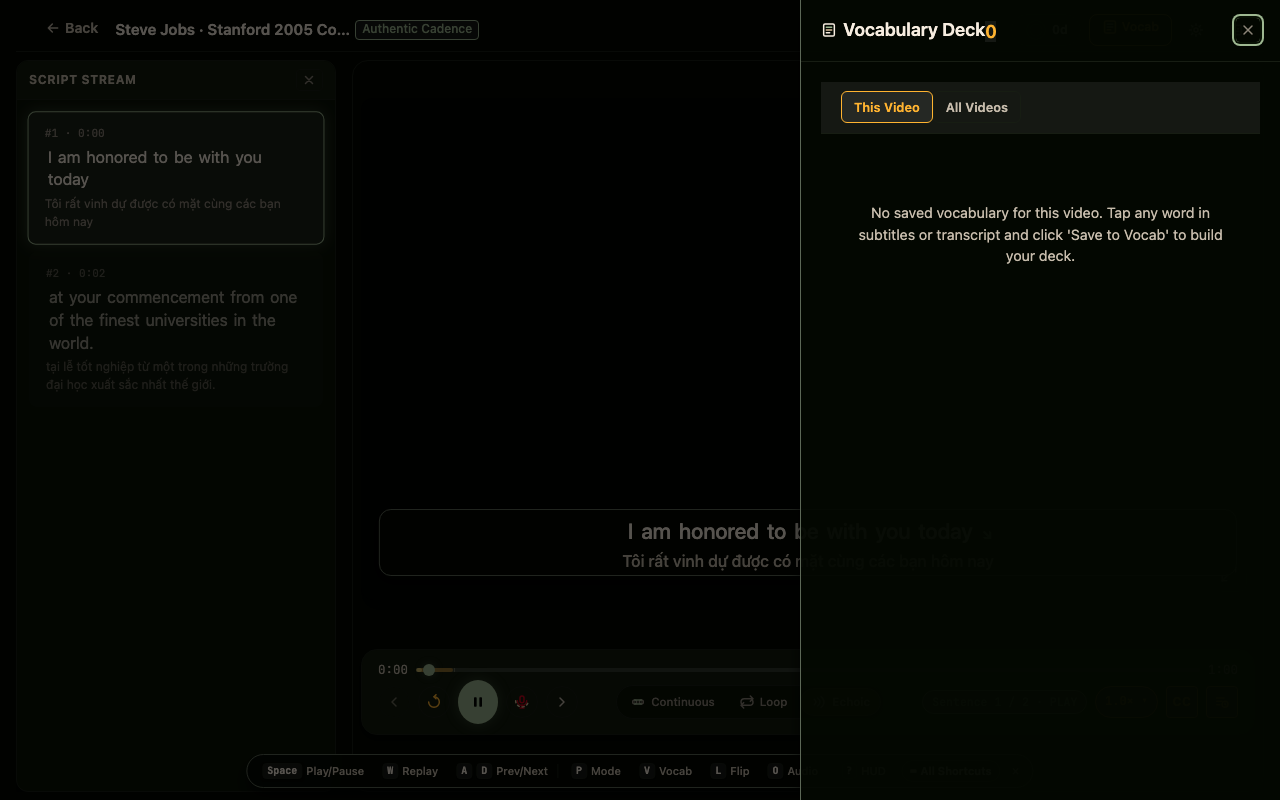
Review your vocab drawer at the end of each session. High-utility collocations encountered in authentic speeches reinforce long-term retrieval.
Collecting dozens of words without reviewing them. Quality over quantity: focus on 3–5 high-impact idioms per shadowing session.