Overview & Pedagogical Objective
Deliberate shadowing relies on the Echoic Turn-Taking Loop: listening attentively to an authentic native reference, recording an immediate spoken take without reading ahead, and comparing the two waveforms back-to-back to calibrate acoustic and rhythmic disparity.
In this guide, you will master the five-step deliberate rehearsal workflow for professional technical standup dialogues. By shifting focus from text reading to acoustic shadowing, you train auditory working memory, refine phonological linking, and develop natural spoken fluency.
Workstation Initialization & Audio Manifest Mount
Listen for the natural sentence stress on 'stand-up' and the blocker disclosure. Pay attention to how unstressed grammatical words ('the', 'to', 'for') compress into quick schwas.
Press Space or click the Play transport button to play the full native dialogue in Continuous mode before attempting rehearsal.
When launching a scenario, the workstation hydrates in Continuous Mode by default. All learnable dialogue cues, pitch contour badges (↗ Rising, ↘ Falling, ↗↘ Fall-Rise), and connected speech annotations are pre-loaded from the compiled scenario manifest.
Before recording, familiarize yourself with the target dialogue by listening once through uninterrupted to internalize cadence, rhythm, and intonation boundaries.
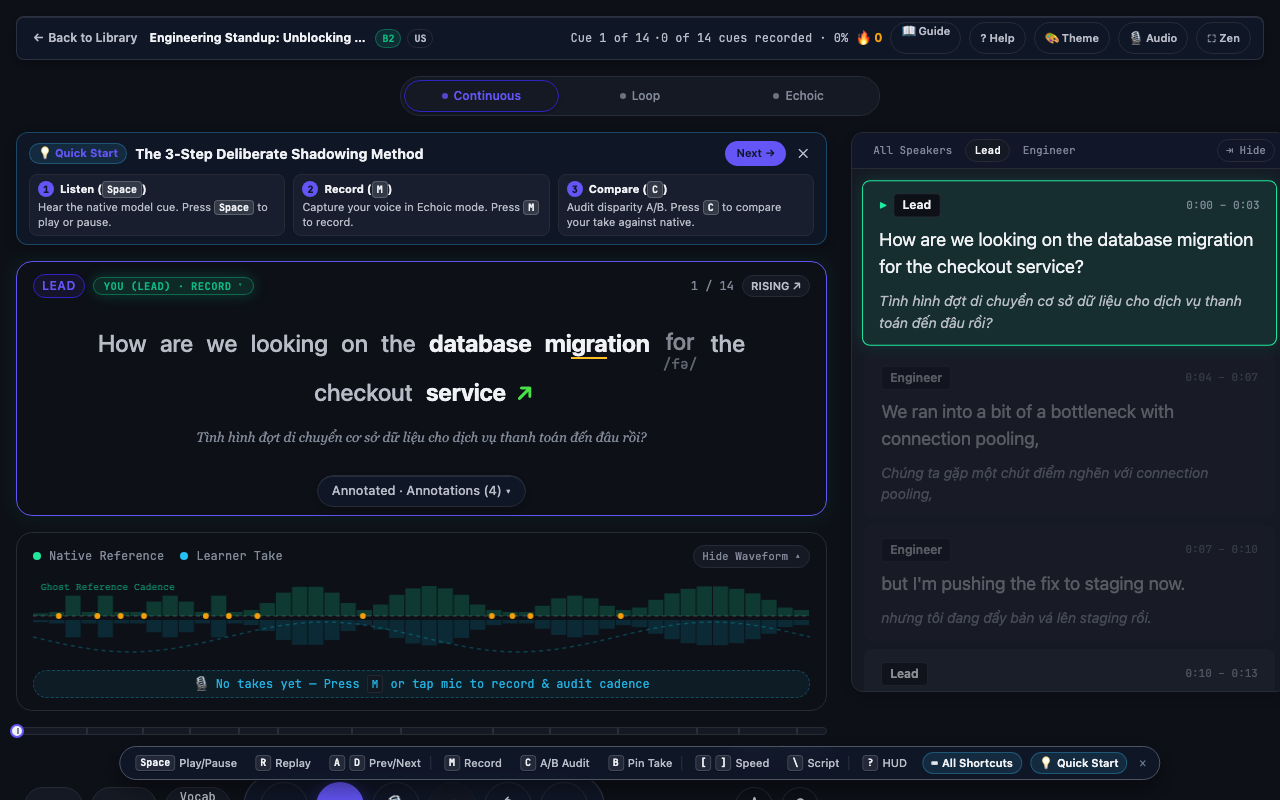
Internalize the whole dialogue melody on your first passive pass. Avoid speaking along immediately—your acoustic memory needs a clean reference model first.
Rushing to record before your ears have registered the linking boundaries and pitch drops.
Engage Echoic Rehearsal Mode
Isolate the active cue's cadence. Note the pause duration and final intonation curve (rising ^ vs falling v) indicated by the pitch contour badges.
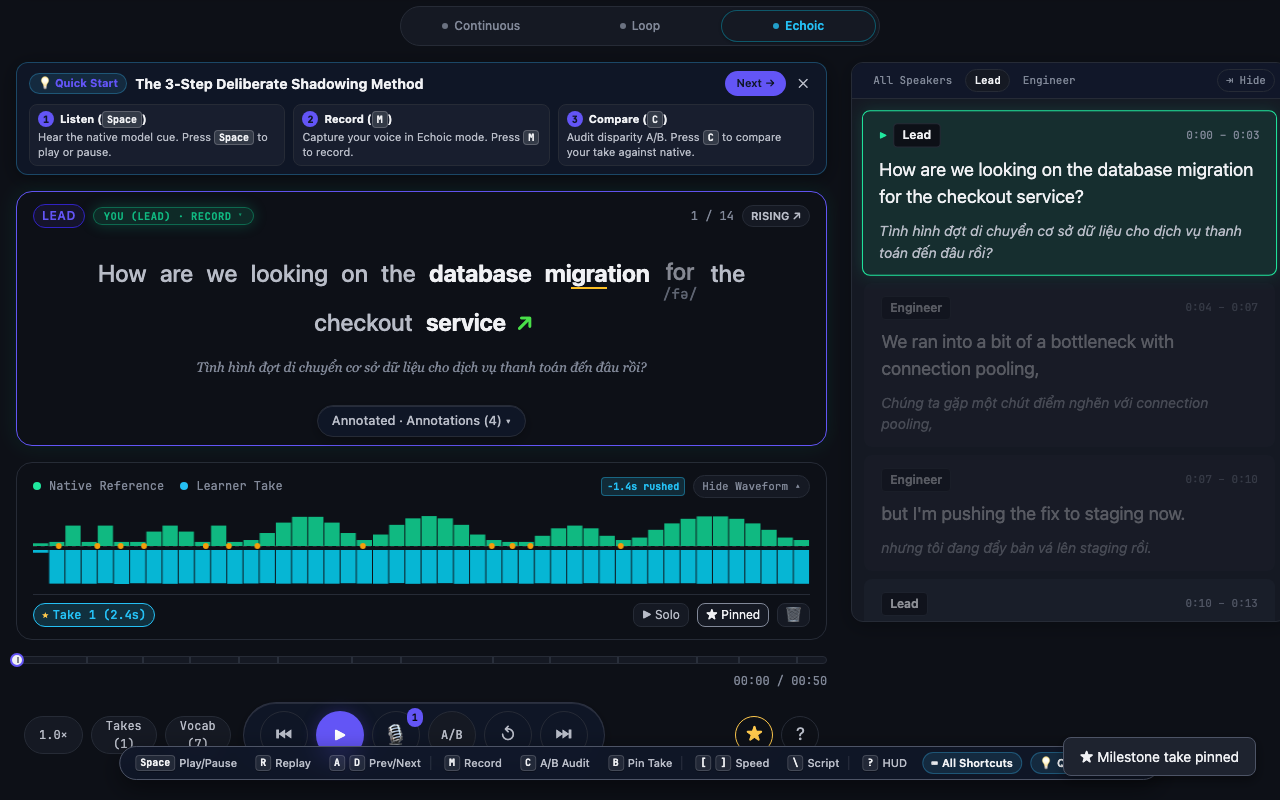
Switch to Echoic Mode using the top mode tab or keyboard navigation. The workstation isolates the active cue and prepares the countdown loop.
Switch to Echoic Mode via the top mode selector or pressing keyboard tab controls.
In Echoic Mode, playback becomes cue-centric:
- The player isolates the active dialogue cue.
- Turn-taking automation arms the microphone.
- The transport bar displays the dedicated Record Take button and countdown indicators.
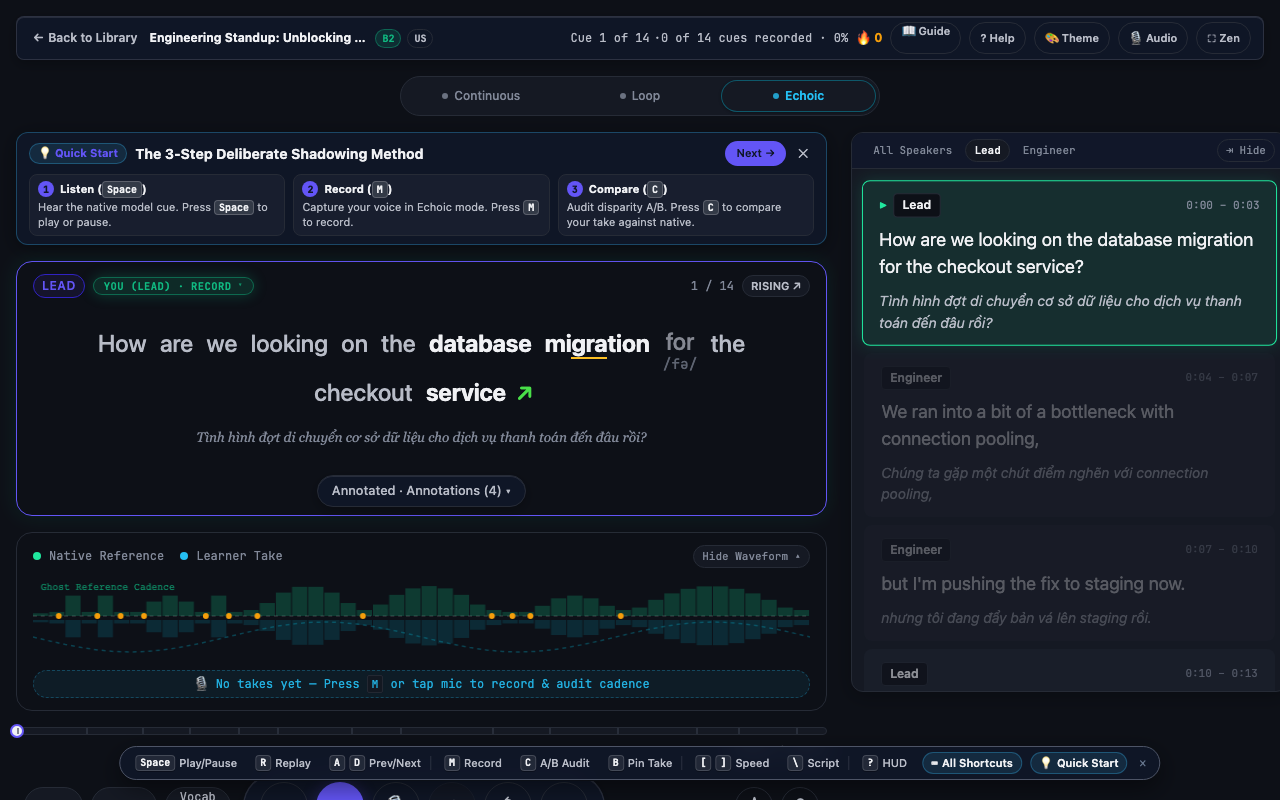
Focus on mimicking the native speaker's breath group boundaries. In professional standups, confident delivery comes from pausing at thought boundaries, not individual words.
Treating Echoic Mode like a traditional karaoke script. Keep your eyes on the contour badge rather than reading each word syllable-by-syllable.
Automated Microphone Capture & Live Buffer
Shadow immediately into the silent echoic window. Match the native speaker's vowel length and vocal energy without shouting.
Press R or use the automated turn-taking countdown. Speak your take naturally as the live audio input canvas visualizes your signal.
Initiate practice by pressing R or clicking the Record button. In automated rehearsal sessions, the player automatically triggers a countdown buffer following cue playback, giving you precise pacing to begin speaking.
The waveform canvas monitors real-time input levels, ensuring your voice is captured without clipping.
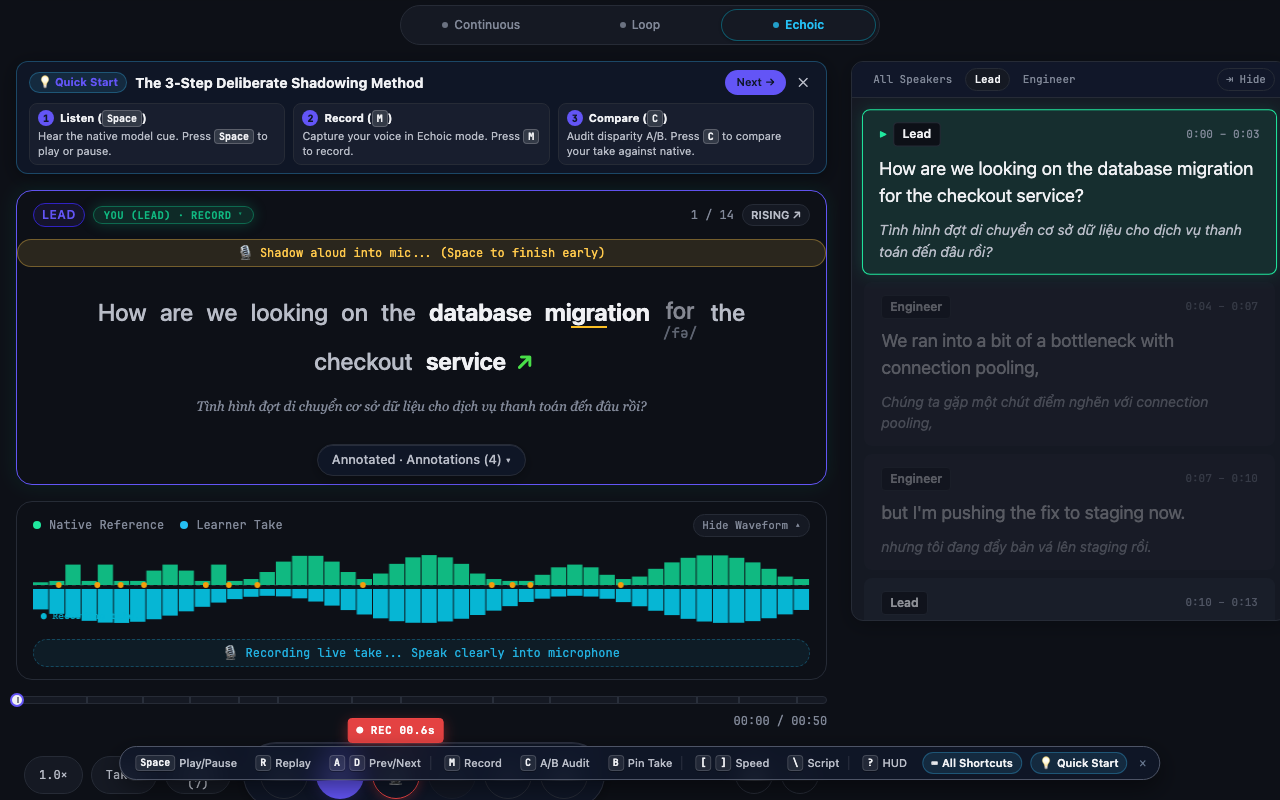
Record at conversational volume 15-20cm from your microphone. Let the automated countdown pace your inhalation so you speak on a relaxed exhale.
Waiting too long after the native prompt ends. The echoic memory trace fades rapidly after 1.5 seconds—speak while the acoustic echo is still vivid.
Take Finalization & Vault Persistence
Notice your take's terminal release. Did your trailing consonants ('blocker', 'stand-up') complete crisply or did they get cut off?
Press R or click Stop Recording to finalize the take. The audio is instantly encrypted and saved to your device's local IndexedDB vault.
Stopping the recording automatically finalizes your take. The raw audio is instantly persisted to your device’s local IndexedDB Takes Vault with zero cloud transmission, preserving absolute learner privacy.
A toast confirmation appears, and the Take Deck mounts showing your recorded take duration, solo review button, and milestone pin toggle.
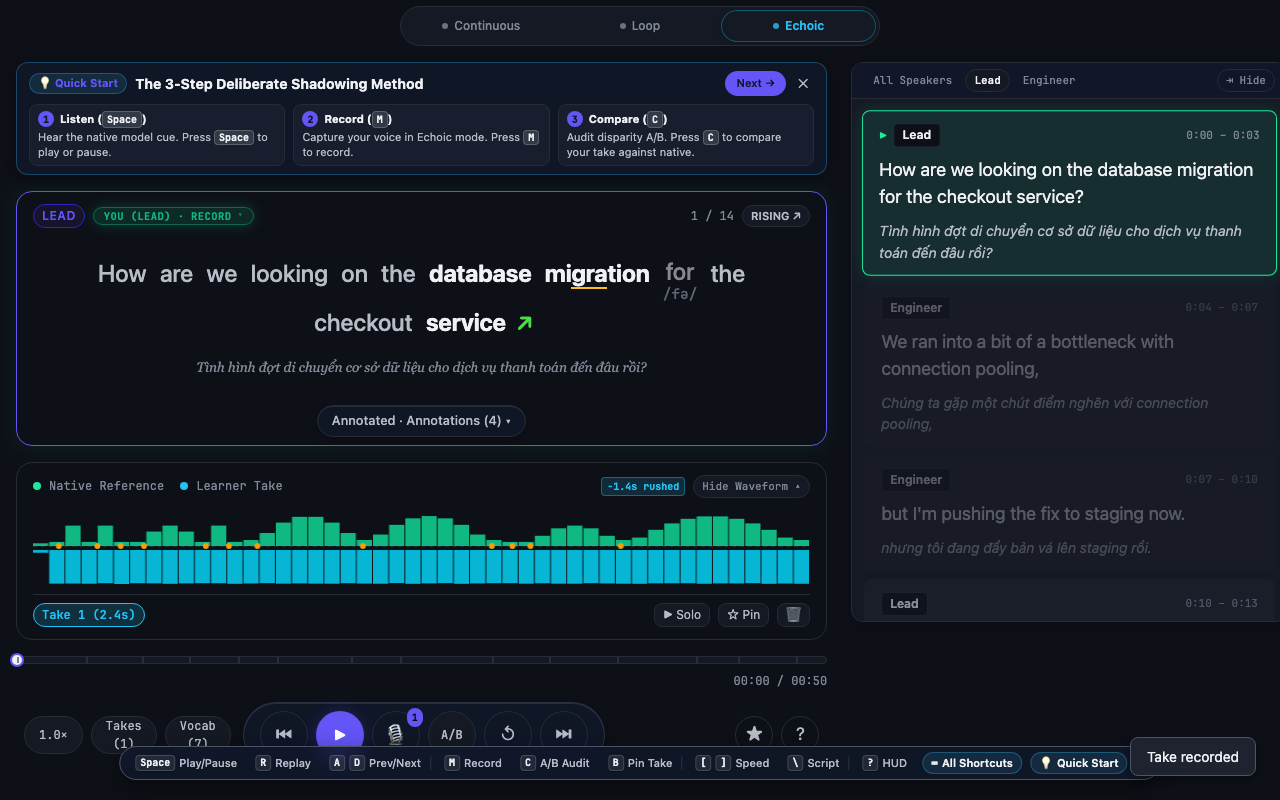
Check the recorded take duration against the native reference duration. If your take is significantly longer, you may be inserting unnatural hesitation pauses.
Constantly re-recording before listening back. You cannot improve what you haven't audited.
A/B Auditory Disparity & Milestone Pinning
Listen critically for auditory disparity during back-to-back playback: pitch direction at sentence ends, linking transitions (stand~up), and syllable timing.
Press A or click Compare Take to launch alternating A/B playback: Native Reference → 150ms breath pause → Your Take. Pin milestone takes to save them permanently.
With your take recorded, click Compare (or press A) to trigger the A/B Auditory Disparity sequence:
- Native reference audio plays.
- Short 150ms breath pause.
- Your recorded take plays immediately.
Notice differences in syllable stress, linking transitions, and terminal pitch. If this take represents a breakthrough in natural cadence, click the Pin button to mark it as an immutable milestone take, protecting it from the 30-day automatic vault cleanup.
Focus on one phonological feature per comparison cycle: first pass check rhythm, second pass check intonation rise/fall, third pass check consonant linking.
Assuming an accent difference equals an error. Focus on clarity, rhythm, and stress contrast rather than attempting to forge an artificial accent.