Overview & Pedagogical Objective
Fluency is not built in marathon sessions — it is built through short, daily repetitions that compound over time. This guide walks you through the built-in Daily Workout, a structured 15-minute practice loop powered by the Daily Workout FSM.
Each session is divided into four phases that mirror how the brain consolidates language:
| Phase | Duration | Purpose |
|---|---|---|
| SRS Warmup | 3 min | Re-activate cues already learned via spaced repetition |
| Core Rehearsal | 8 min | Deep deliberate shadowing with recording and A/B comparison |
| Cadence Sprint | 3 min | High-tempo fluency drilling at 1.2× speed |
| Debrief | 1 min | Reflect, pin your best take, and extend your streak |
Completing all four phases earns a streak point. Missing a day resets your streak — a powerful motivational anchor.
Launch the Daily Workout & Pick Your Level
No audio yet — this is a cognitive orientation step. Read the phase timeline shown on screen and mentally commit to the 15-minute investment before pressing Start.
Navigate to the Daily Workout from the top navigation bar. Select your CEFR level (A2, B1, B2, or C1) from the level selector, then press Start Daily Workout.
When you open the Daily Workout, the planner selects 3–5 scenarios from your level tier and assembles them into a playlist. The target scenario for today’s Core Rehearsal is highlighted at the top.
The session clock starts the moment you press Start Daily Workout. Each phase has a built-in timer — the SRS Warmup gives you 3 minutes, the Core Rehearsal gives you 8 minutes, and the Cadence Sprint gives you 3 minutes. You can advance early at any time by pressing Next Phase.
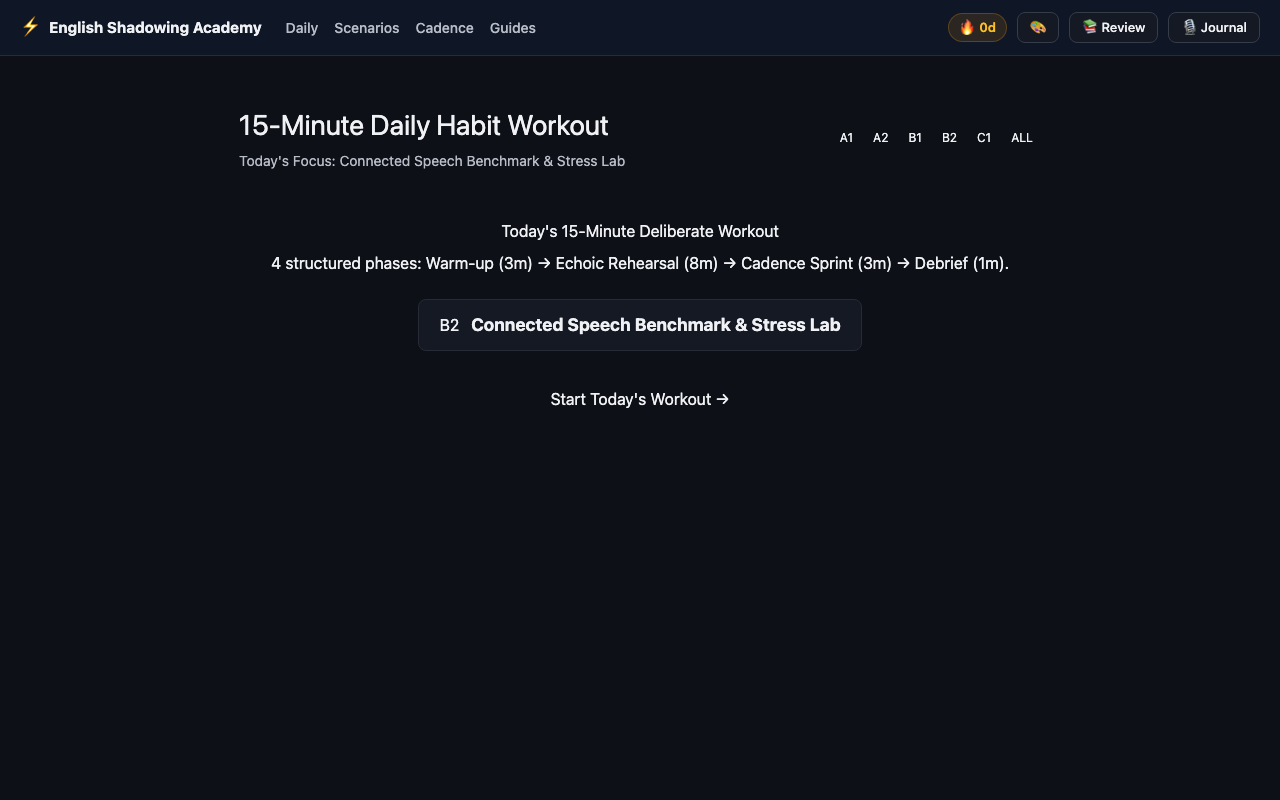
Pick the level that feels *slightly* uncomfortable, not impossible. B2 is the sweet spot for most intermediate learners — authentic professional dialogues without overwhelming vocabulary density.
Choosing A2 because it feels comfortable. The Leitner SRS system works best when you are consistently challenged. Comfort-level repetition trains complacency, not fluency.
SRS Warmup — Passive Re-Activation (3 Minutes)
Listen for how cues you've previously studied have subtly shifted in your mental model. Notice which phrases feel familiar and which still feel foreign. That gap is where learning is happening.
The workstation auto-loads SRS-due cues in Continuous Mode. Press Space to play. Listen only — do not record during warmup. The goal is acoustic re-activation, not production.
The SRS Warmup phase automatically surfaces cues scheduled for review today by the Leitner spaced-repetition scheduler. These are cues you have previously practiced, ranked by how long ago you last reviewed them.
During this phase the player runs in Continuous Mode — cues play back-to-back without interruption. Your only task is to listen, mentally shadow (mouthing silently is fine), and notice the acoustic features of each cue.
The phase timer counts down from 3:00. When it reaches zero, the workstation advances automatically to Core Rehearsal. You may also press Next Phase early if your SRS queue is short.
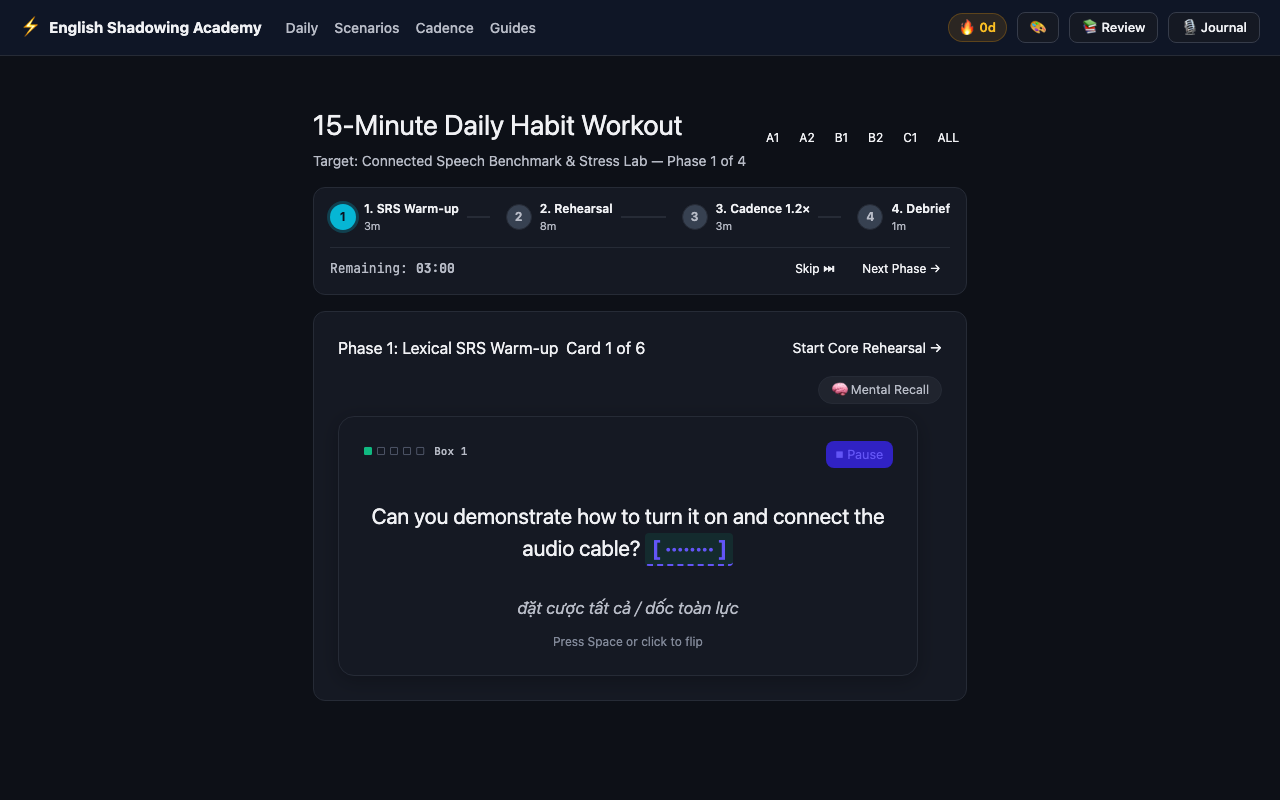
Use this phase to mentally preview the stress patterns and linking boundaries. Ask yourself: where does the speaker's pitch drop? Which syllables are compressed? This primes your motor system for the recording phase.
Trying to record takes during the SRS Warmup. This phase is intentionally passive — production before re-activation degrades the quality of your Core Rehearsal recordings.
Core Rehearsal — Deliberate Take Recording (8 Minutes)
Isolate one phonological target per cue cycle: first pass on rhythm and pause placement, second pass on intonation direction (↗ rising vs ↘ falling), third pass on consonant linking and elision.
Switch to Echoic Mode (Tab), record 3–5 takes per cue using R, then compare each take against the native reference with A (A/B Compare). Advance to the next cue with → Arrow.
The Core Rehearsal is the heart of your daily session. The workstation loads today’s target scenario and enters Echoic Mode, where playback becomes cue-centric: each dialogue turn plays in isolation, followed by a brief countdown during which you record your spoken take.
The deliberate rehearsal loop for each cue:
- Listen — the native reference plays once at 1.0× speed.
- Echoic pause — the workstation waits
duration × 1.6 + 1.2sfor you to speak. - Record — press
Ror let the automated countdown trigger capture. - Compare — press
Ato run A/B Auditory Disparity playback (Native → 150ms silence → Your Take). - Advance — press
→to move to the next cue, or←to repeat.
Aim to complete 2–4 full cues in the 8-minute window. Quality over quantity.
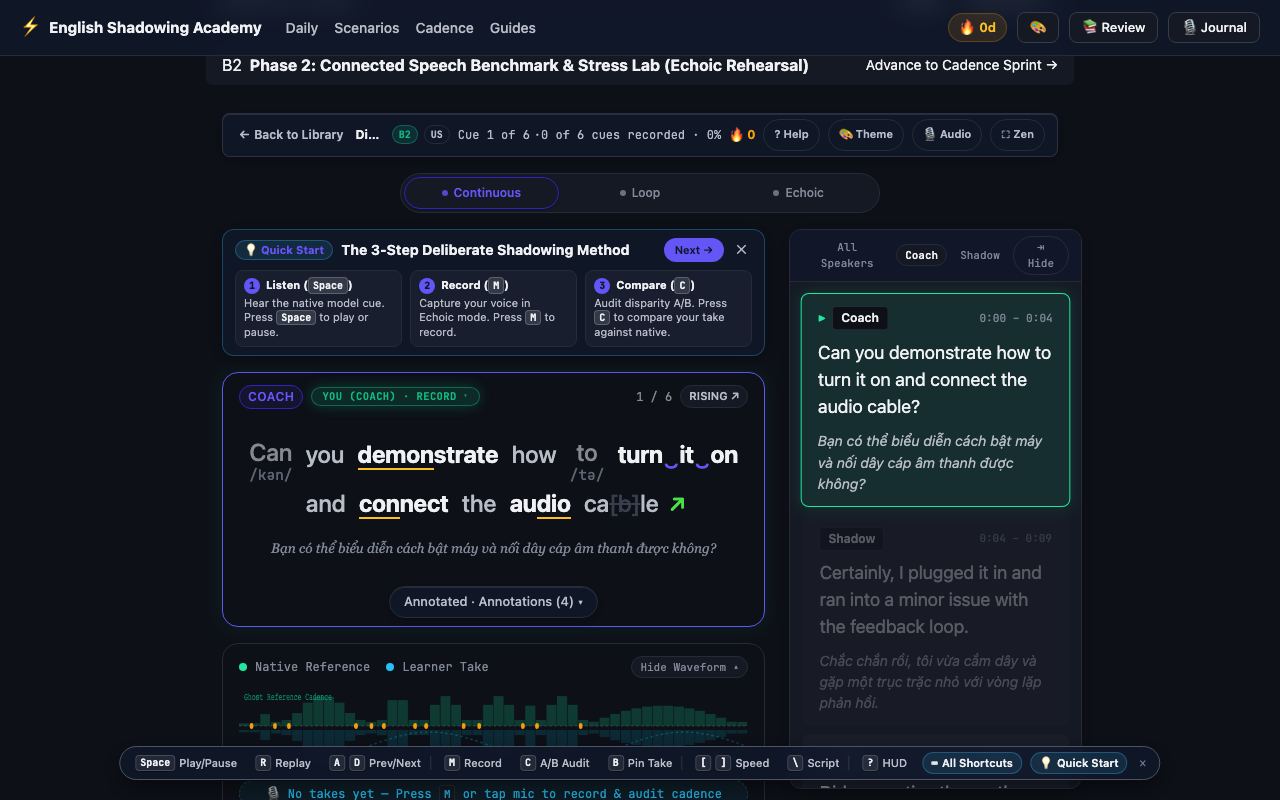
Three high-quality, attentive recordings beat ten rushed ones. After each A/B comparison, identify one specific thing to correct — then re-record with that single fix in mind.
Recording dozens of takes in a row without listening back. The A/B waveform comparison is the learning mechanism — recording without comparing is like writing without reading back.
Cadence Sprint — Fluency at 1.2× Speed (3 Minutes)
Do not worry about perfect articulation at sprint speed. Focus on maintaining your breath groups and not dropping stressed syllables. Unstressed words will compress naturally — let them.
The workstation automatically activates 1.2× playback speed for this phase. Shadow aloud continuously without recording. Try to keep pace with the sped-up audio without pausing.
The Cadence Sprint phase automatically sets playback speed to 1.2× — approximately 20% faster than native conversational pace. The workstation plays the full scenario dialogue in Continuous Mode.
Your task is to shadow aloud continuously — speaking along with the sped-up audio without stopping to self-correct. This phase trains your articulatory system to process and reproduce speech faster than your conscious mind can intervene, which is precisely how fluent speakers operate.
No recording happens during the sprint. The workstation timer counts down from 3:00. When it expires, playback stops and the session advances to Debrief.
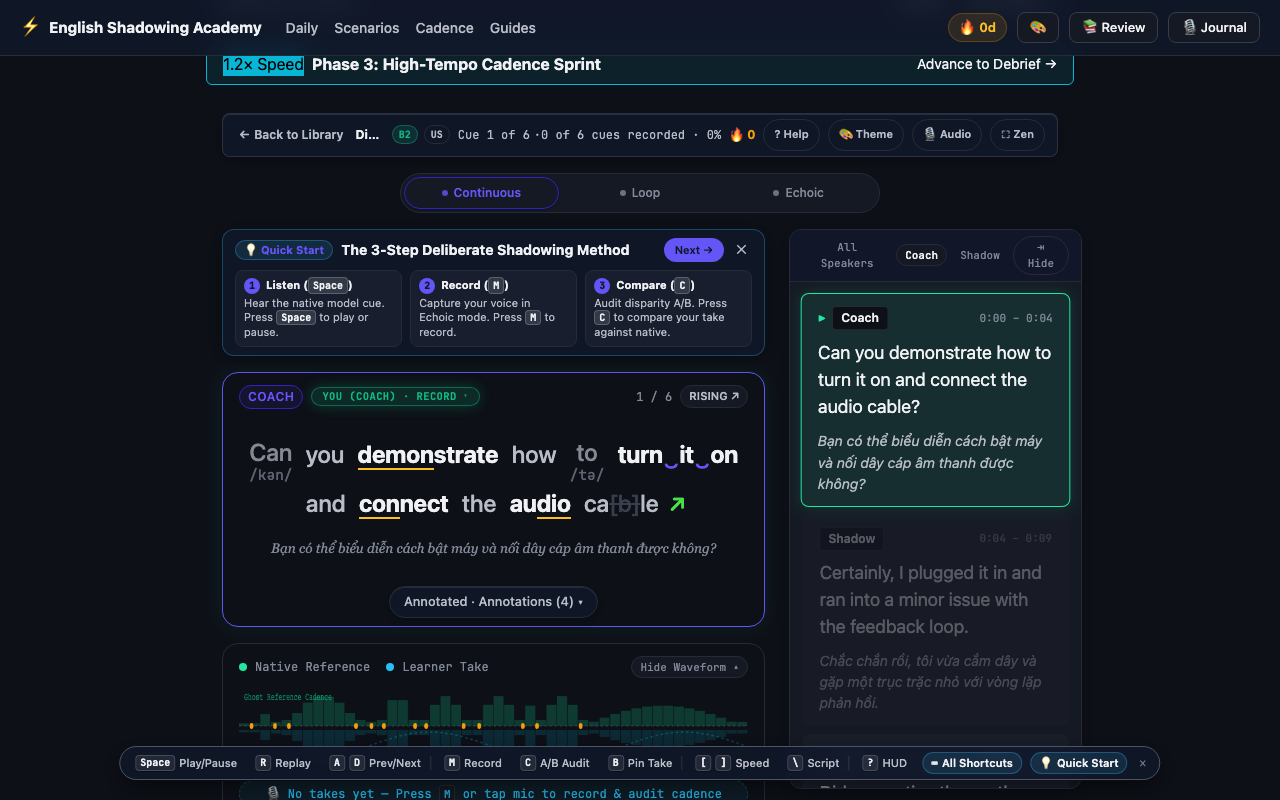
The Cadence Sprint builds the sub-conscious fluency buffer that makes normal-speed speech feel *slow* by comparison. After three weeks of daily sprints, 1.0× playback will feel spacious and unhurried.
Slowing your own speaking to stay 'accurate' during the sprint. The deliberate mismatch between 1.2× audio and your voice forcing you to keep up is the entire mechanism. Lean into the discomfort.
After Your 15 Minutes: The Debrief
When all three active phases complete, the Daily Workout enters Debrief (1 minute). The debrief screen shows:
- Streak counter — your current consecutive-day streak and today’s session coverage percentage.
- Phase completion badges — which phases you completed vs. skipped.
- Best take pinning prompt — a shortcut to the Takes Vault to permanently pin a milestone recording before it reaches the 30-day auto-eviction window.
Press Complete Workout to finalize the session and update your streak. See you tomorrow.